Prove every location before install
Run real LoRaWAN checks in the field, score the signal on site, and choose the sensor position with confidence before the truck leaves.

Loptimizer helps field teams choose better sensor locations, avoid weak radio links, and reduce battery-draining installations before the truck leaves the site.
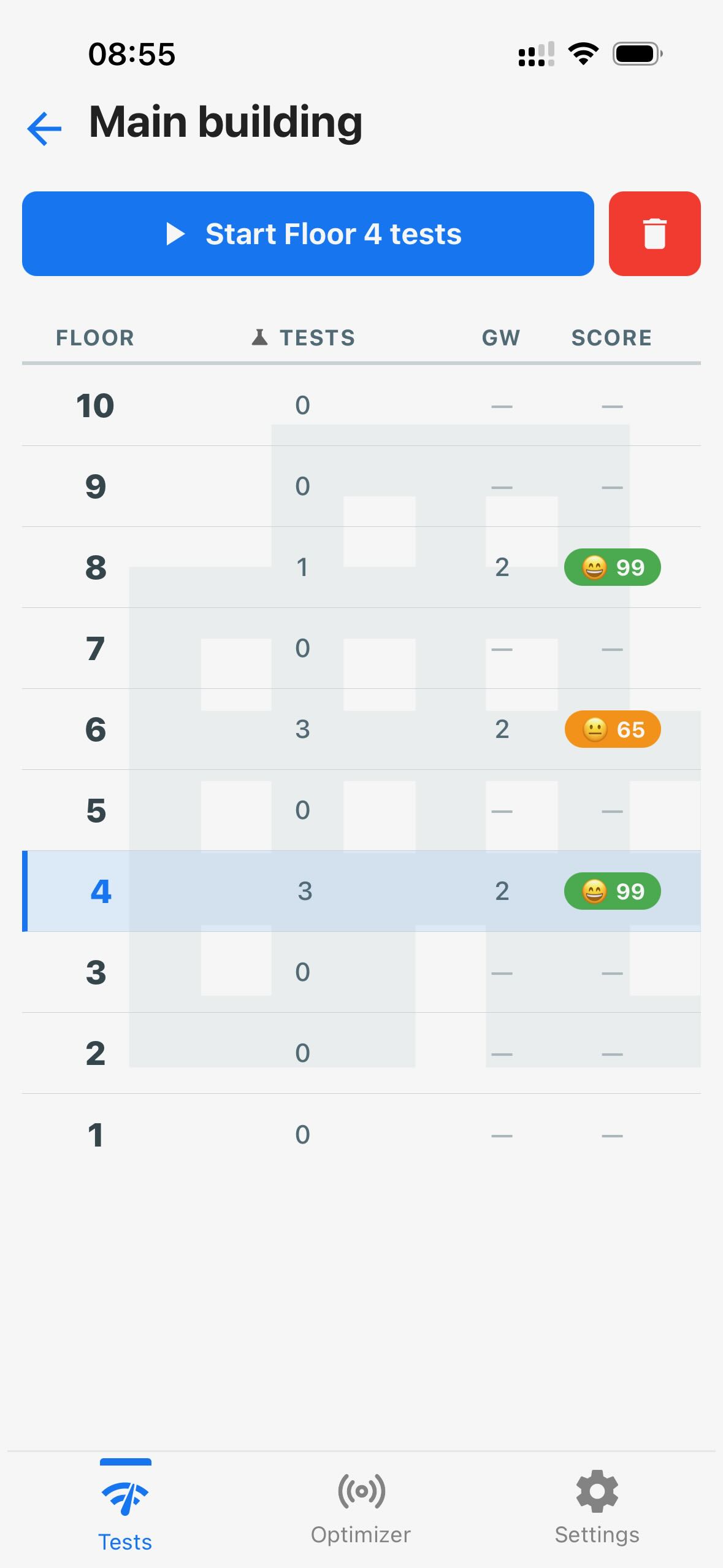

Run real LoRaWAN checks in the field, score the signal on site, and choose the sensor position with confidence before the truck leaves.
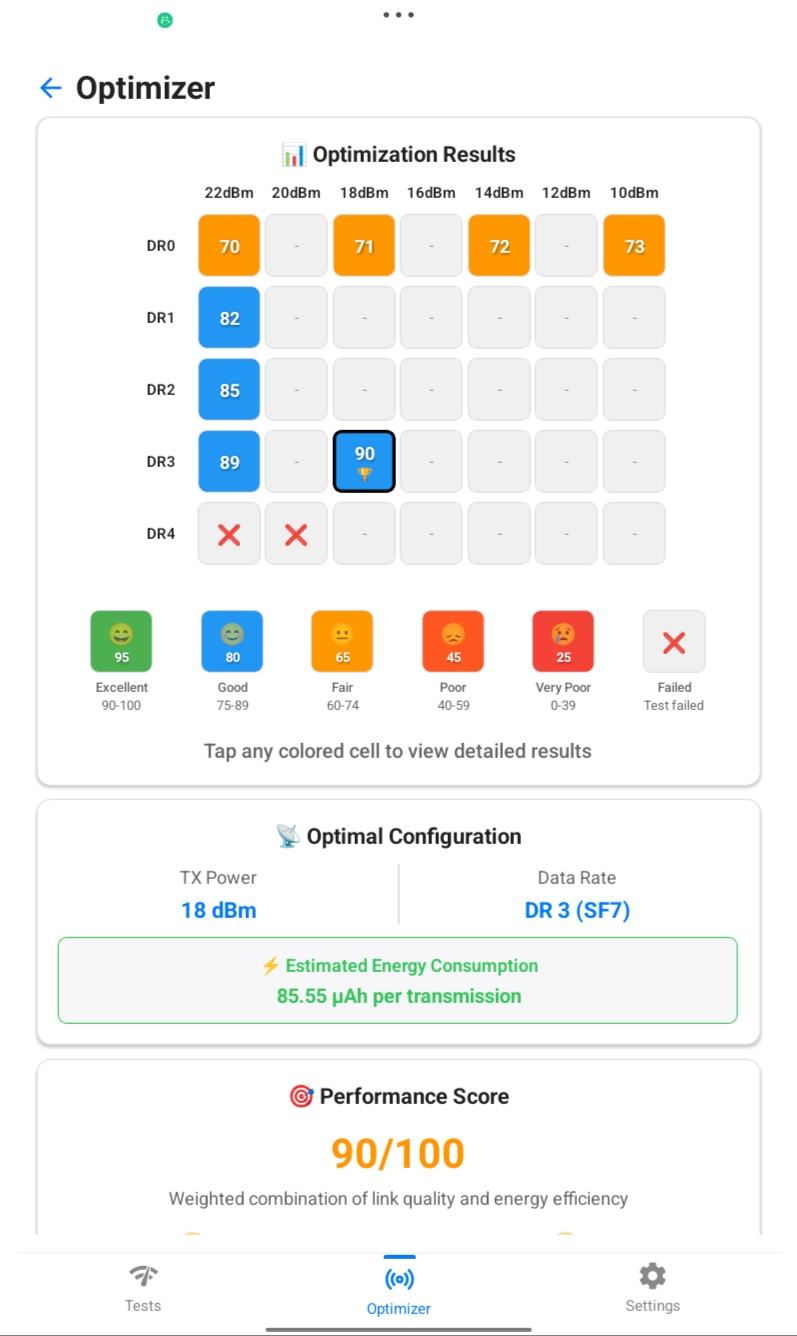
Compare radio settings and locations instantly to expose battery-draining choices before they become expensive maintenance visits.
Use a phone or large tablet screen, clear test scoring, and guided results so every installer can make the right call without expert guesswork.
Loptimizer moves field testing out of tiny device menus and onto a phone or tablet screen. The mobile app gives installers a clear workspace for setup, results, photos, and decisions, while the Pocket Tester hardware performs the LoRaWAN measurements at the installation point.

Connects over Bluetooth to configure the tester, start LinkCheck and optimization campaigns, compare results, and document the best settings.
Carries the LoRaWAN radio, built-in status screen, field test controls, and installation-ready signal checks. It measures the LoRaWAN field link while Bluetooth keeps the mobile workflow fast and local.


Receives the Pocket Tester LoRaWAN signal so installers can validate gateway reach, reception quality, redundancy, and reliability at the sensor location.

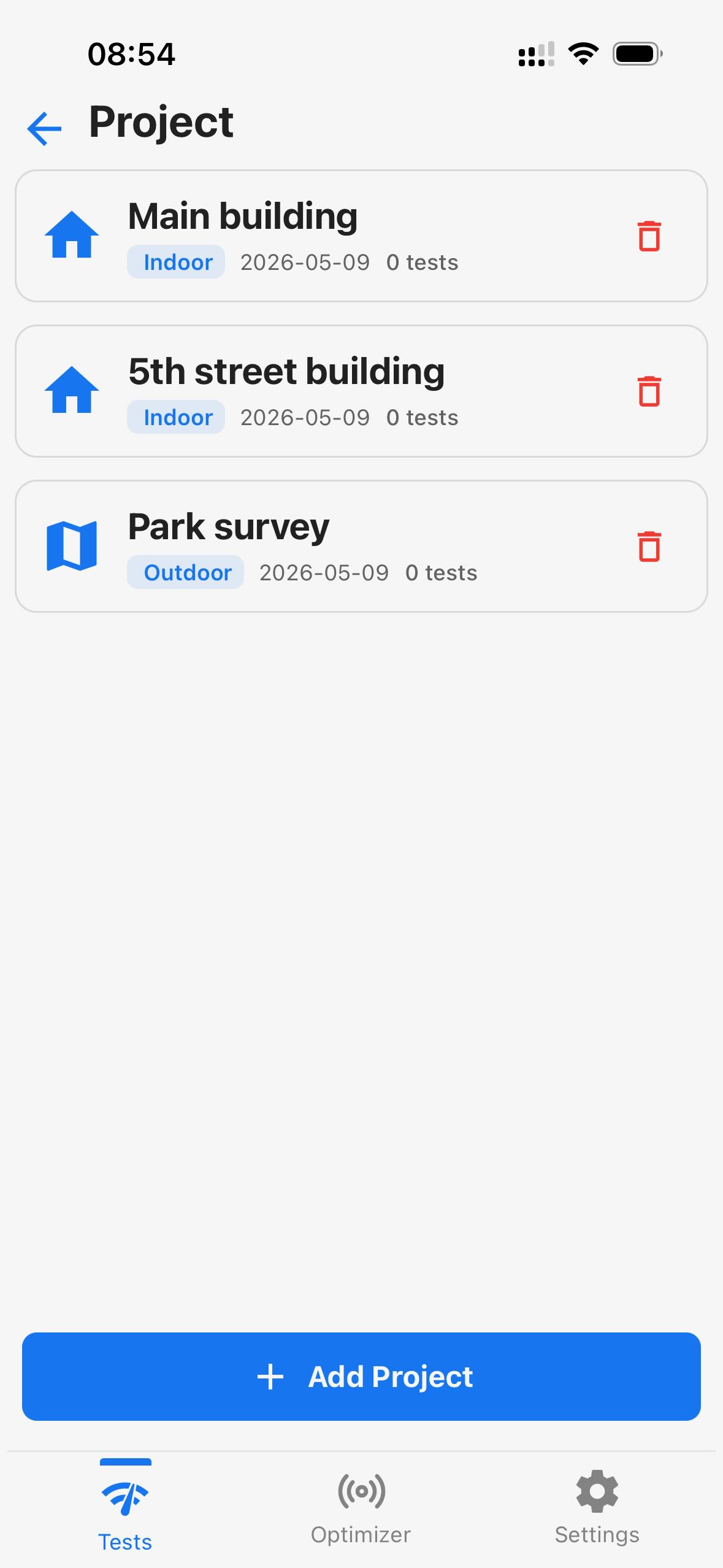
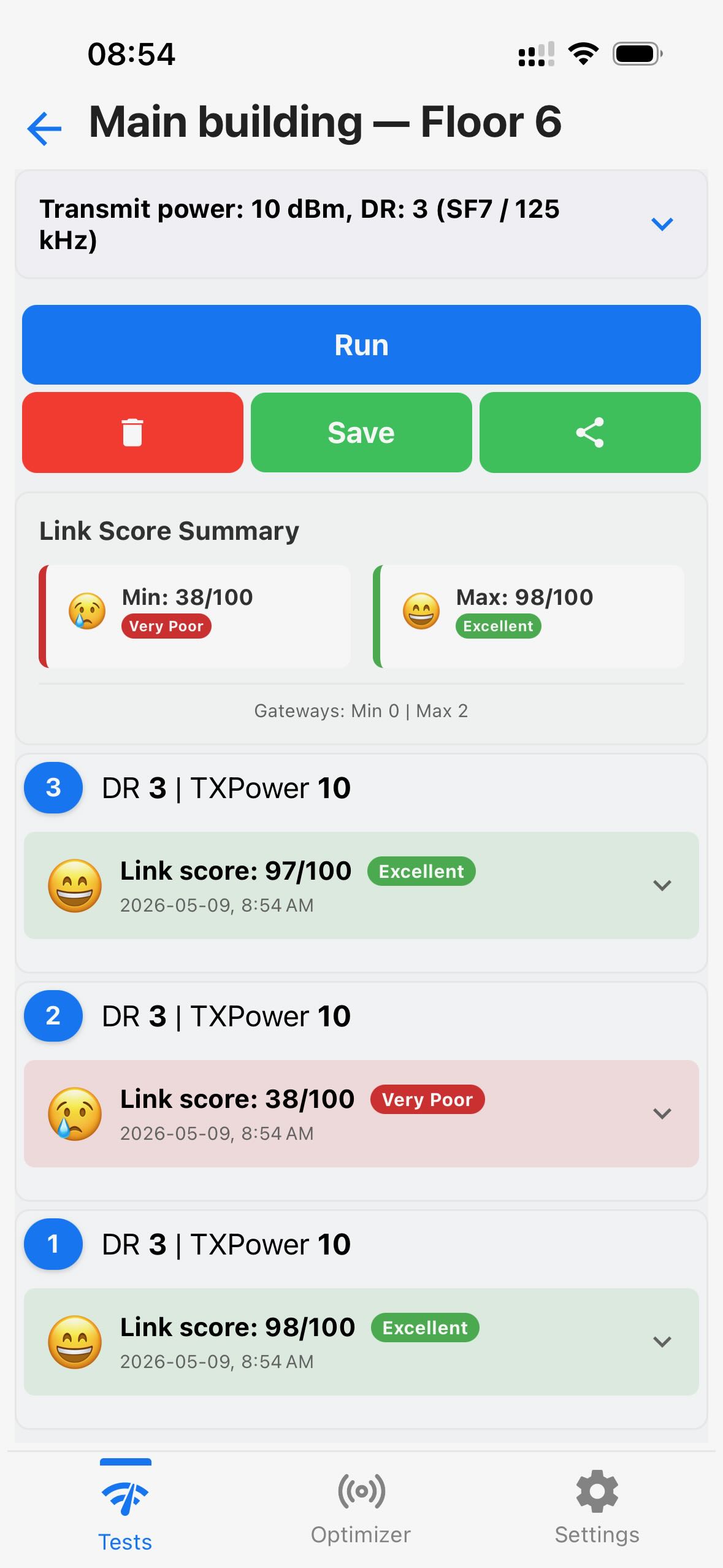
Keep indoor tests in context with a floor plan or workspace photo. Place each test point on the image to see where your LoRaWAN installation has been checked.
Test candidate sensor locations outdoors and follow your results on the map. Color-coded test points help you spot strong links and weak areas along your route.

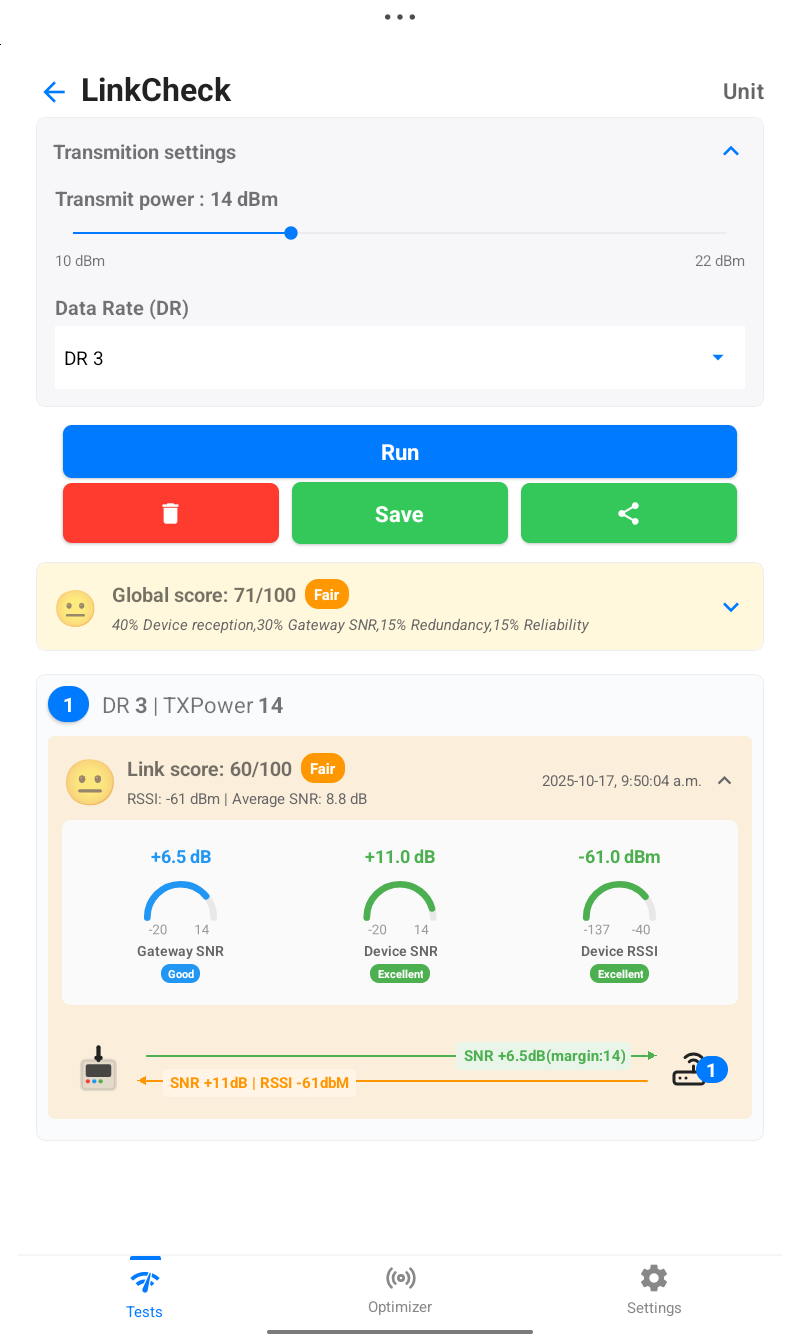
The LinkCheck workflow turns field signal measurements into simple scores so installers can understand results quickly at the exact sensor location.

Poor placement forces LoRaWAN devices to spend more energy per transmission. Loptimizer highlights the best location and configuration so teams can reduce truck rolls and extend sensor lifetime.
Pair the Loptimizer mobile app with the Pocket Tester hardware over Bluetooth and choose the LoRaWAN region and device profile.
Run LinkCheck and optimization campaigns at candidate sensor locations.
Review the score matrix, signal details, and energy impact for each location.
Install the sensor using the best placement, data rate, and transmit power recommendations.
Loptimizer combines the mobile app with Pocket Tester hardware connected over Bluetooth to test LoRaWAN signal quality in the field. The optional web app adds centralized management of your tests and devices, along with advanced features.
LoRaWAN is a wireless networking protocol that connects low-power IoT devices over long distances using LoRa radio technology. Gateways relay device messages to a network server, which forwards data to applications. Learn more in the Device Explorer LoRaWAN guide.
Loptimizer supports the following LoRaWAN regions: US915, AU915, KR920, AS923, EU868, RU864, and IN865. Check the frequency plan used in your country with the Device Explorer country reference.
Loptimizer helps system integrators and end customers deploy LoRaWAN projects with confidence. By validating coverage, comparing sensor locations, and identifying suitable radio settings before installation, your team can reduce deployment risk, avoid unnecessary site visits, and make informed trade-offs between connectivity and battery life. System integrators can support customer recommendations and project handovers with measured results; end customers gain clearer evidence for installation decisions and a stronger foundation for reliable, cost-effective IoT operations.
Yes. Loptimizer includes LinkCheck tests for link quality and optimization campaigns that compare data rate and transmit power combinations.
When LoRaWAN signal quality is weak, devices may need higher transmit power, lower data rates, longer airtime, or repeated transmissions. That increases energy per message.
Read practical field guides for choosing better sensor locations, validating LoRaWAN coverage, and extending battery life before installation.
Learn how to test LoRaWAN coverage, packet delivery and downlinks with a practical hybrid workflow using Coverage Studio simulation and real field tests.
Read articleA straight comparison of Loptimizer, Adeunis FTD, Glamos Walker, Watteco Netw'O, and Milesight FT101 — so you can make the call before you're standing on a rooftop wondering what the numbers mean.
Read articleUse Loptimizer to replace guesswork with measurable link quality, battery impact, and install-ready LoRaWAN settings.